
Your lawn has a dashboard now.
The GreenBeam App is the control center for the GreenBeam System. Define where GreenBeam works, create treatment zones, schedule missions, follow live progress, review treatment activity, and configure regional weed profiles from one connected interface.
Choose run days, operating windows, and active treatment zones. GreenBeam is designed to carry out scheduled missions within the operating area you define.
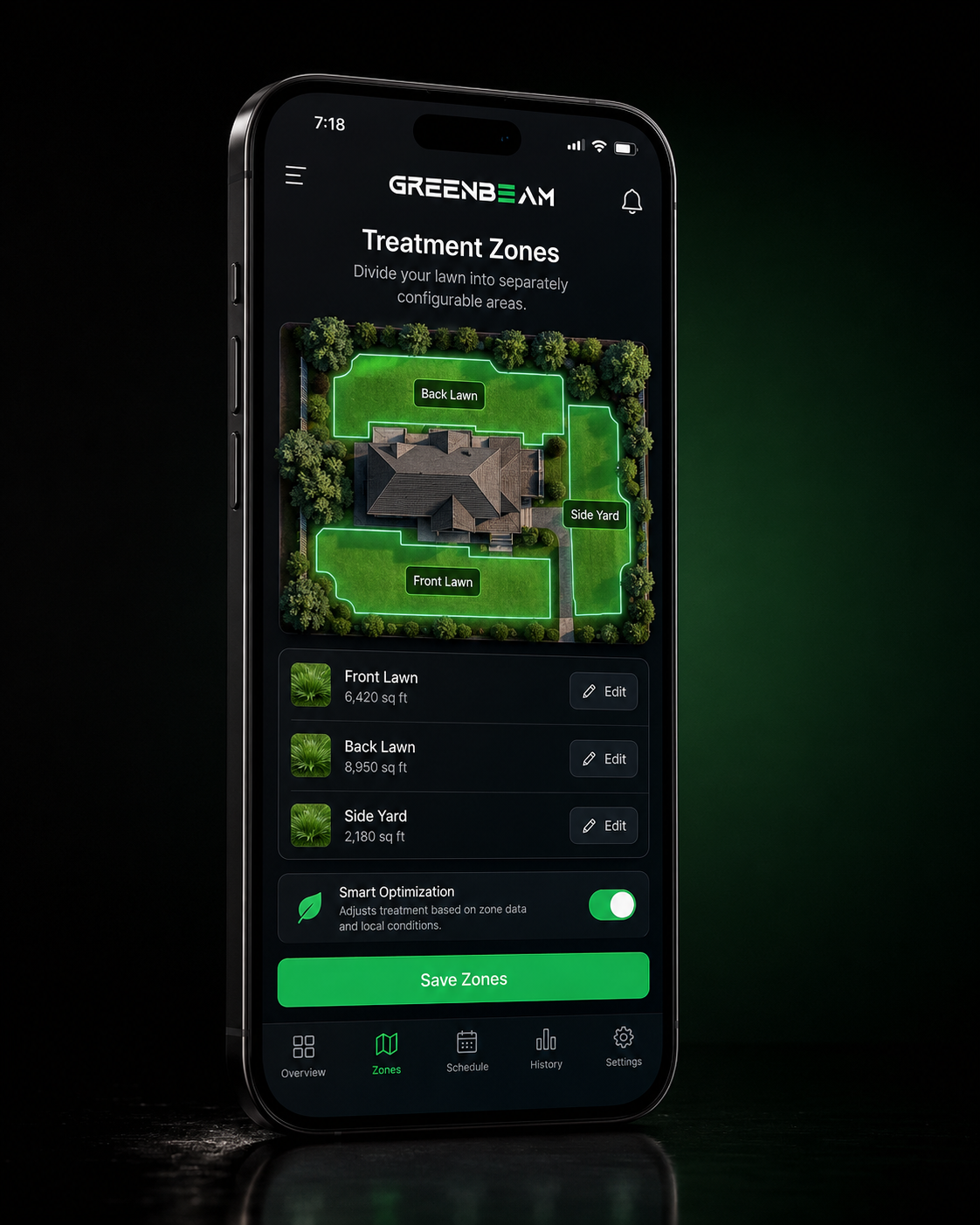
01 · TREATMENT ZONES
Different parts of the lawn. One plan.
Create separate operating zones for areas such as the Front Lawn, Back Lawn, and Side Yard. Choose which zones GreenBeam should include in each scheduled mission.
Front Lawn · Back Lawn · Side Yard
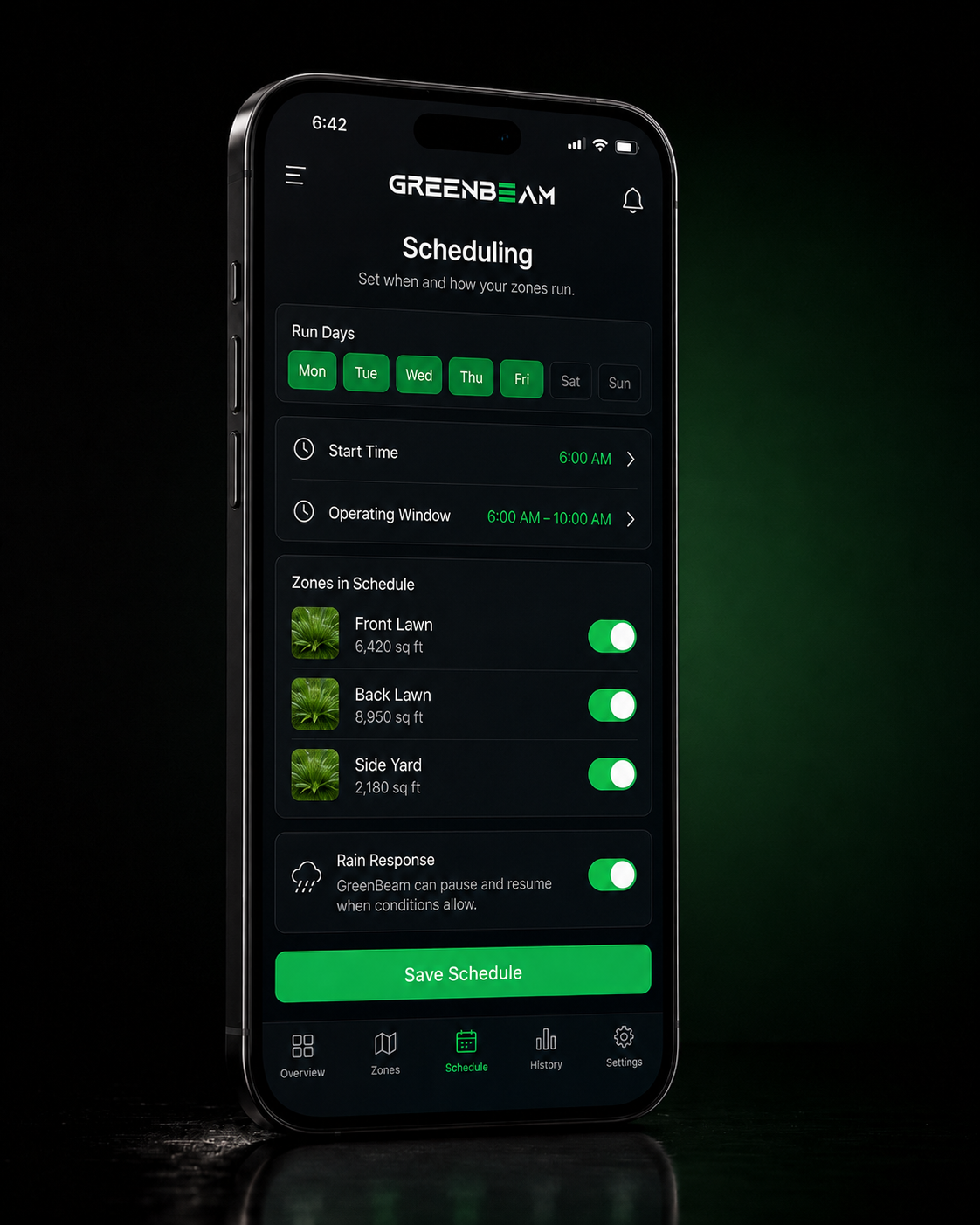
02 · SCHEDULING
Put weed control on the calendar.
Choose operating days, start times, operating windows, and active treatment zones. GreenBeam is designed to carry out scheduled missions within the digital boundaries you define.
Early morning. Weekday afternoons. Choose the operating windows that fit your lawn and your routine.
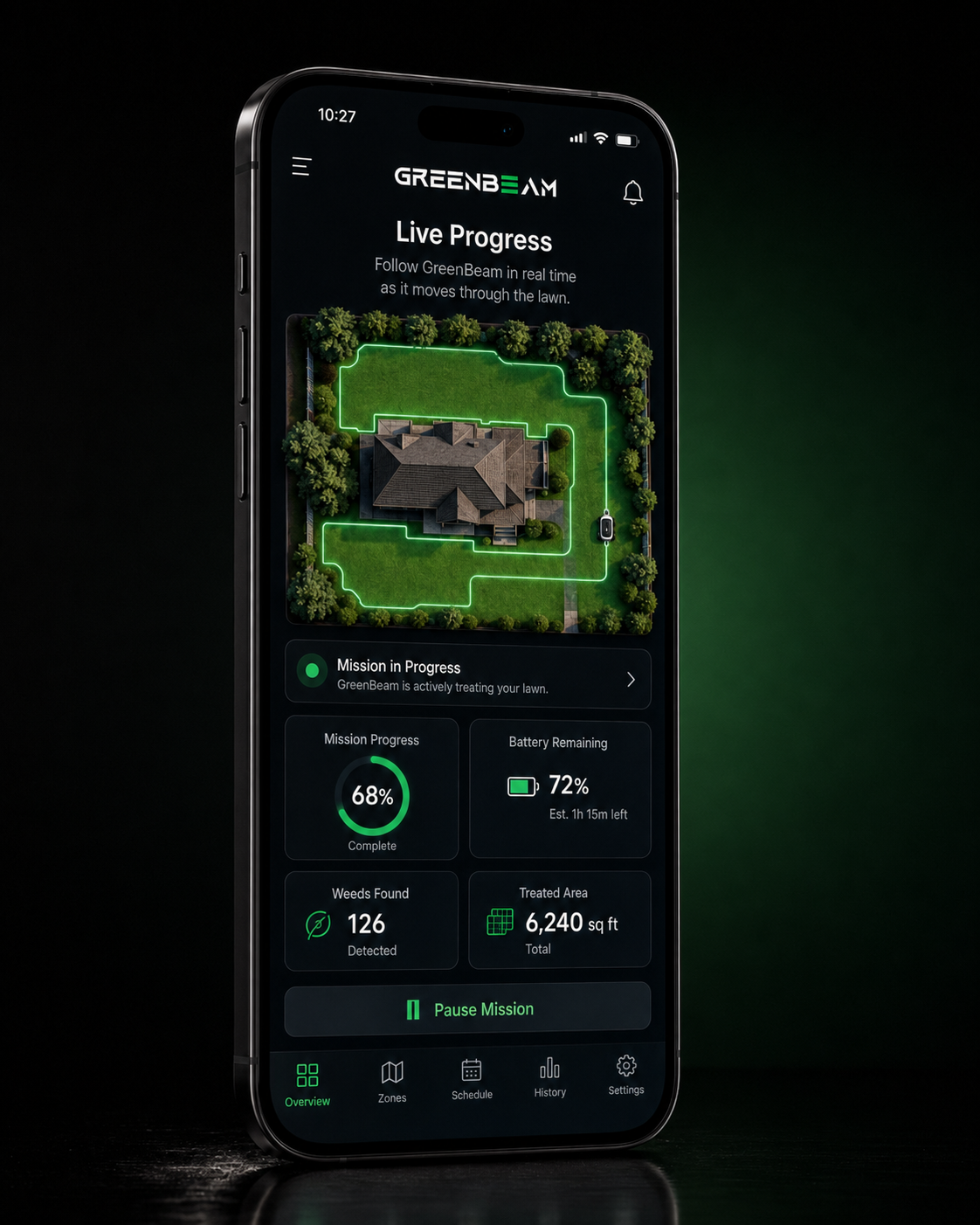
03 · LIVE PROGRESS
Follow every move.
The GreenBeam App brings each live mission into one view. See the Robot's position, route, mission progress, battery state, detected weeds, and treated area as GreenBeam works.
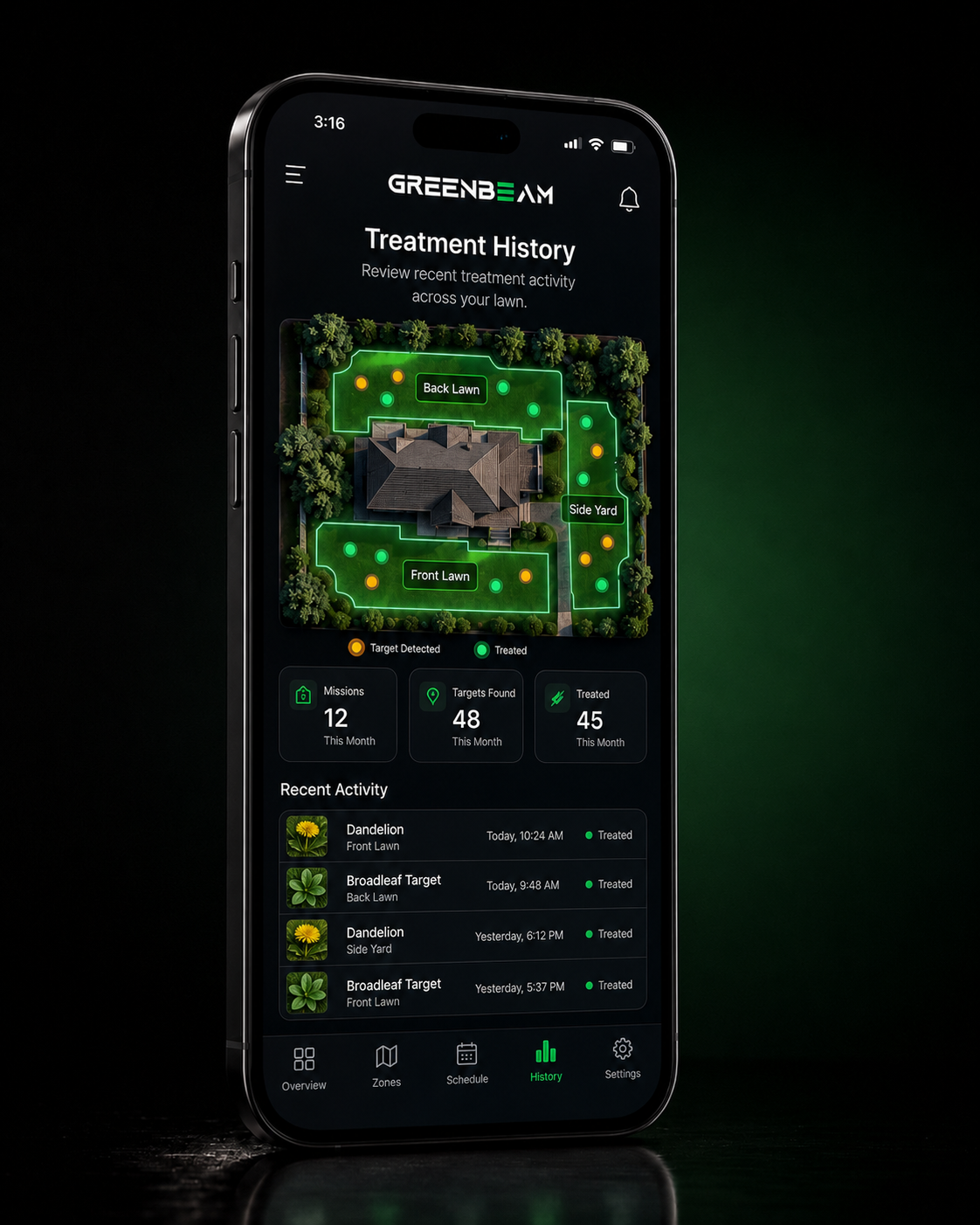
04 · TREATMENT HISTORY
Every mission leaves a record.
Review recorded target detections, treatment locations, mission counts, and recent activity across your lawn. The history map shows where GreenBeam has worked and where treatment events were recorded over time.
A clear history of GreenBeam's work, whenever you want to review it.
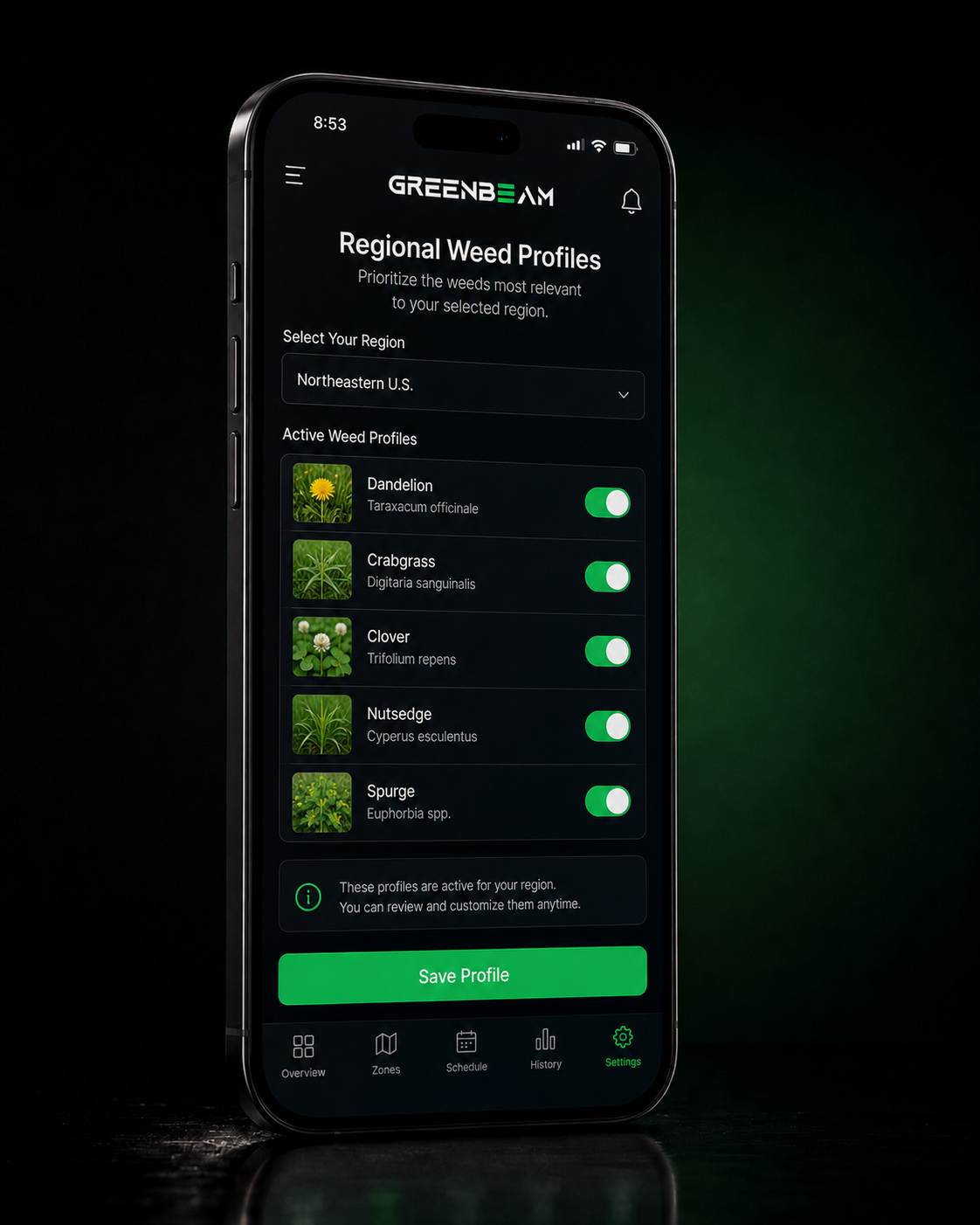
05 · REGIONAL WEED PROFILES
Local lawn. Local weed intelligence.
Weed species and prevalence vary by geography. Select your region to prioritize the weed profiles most relevant to where GreenBeam operates.
Regional profiles give GreenBeam location-aware recognition context before a mission begins.
GREENBEAM APP
GreenBeam outside. Control inside.
Define where GreenBeam works. Choose when it runs. Follow each mission. Review treatment activity. Configure regional weed profiles. The GreenBeam App brings the Robot, Garage, and lawn together in one connected control experience.